
A home build involves hundreds of moving parts, trades, materials, inspections, approvals, and without a clear timeline, things fall apart fast. That’s exactly why having a residential construction schedule template is one of the smartest moves you can make before breaking ground. It gives you a structured framework to track every phase, from site preparation through to handover, so nothing gets missed or delayed unnecessarily.
At Transformer Homes, we manage custom builds, renovations, and dual occupancy projects across Melbourne’s Northern and Western suburbs. Coordinating schedules is something we do daily, and we know firsthand how much a well-organised timeline matters to keeping a project on track and on budget. Whether you’re an owner-builder or simply want to understand what your builder should be tracking, a good template gives you that clarity.
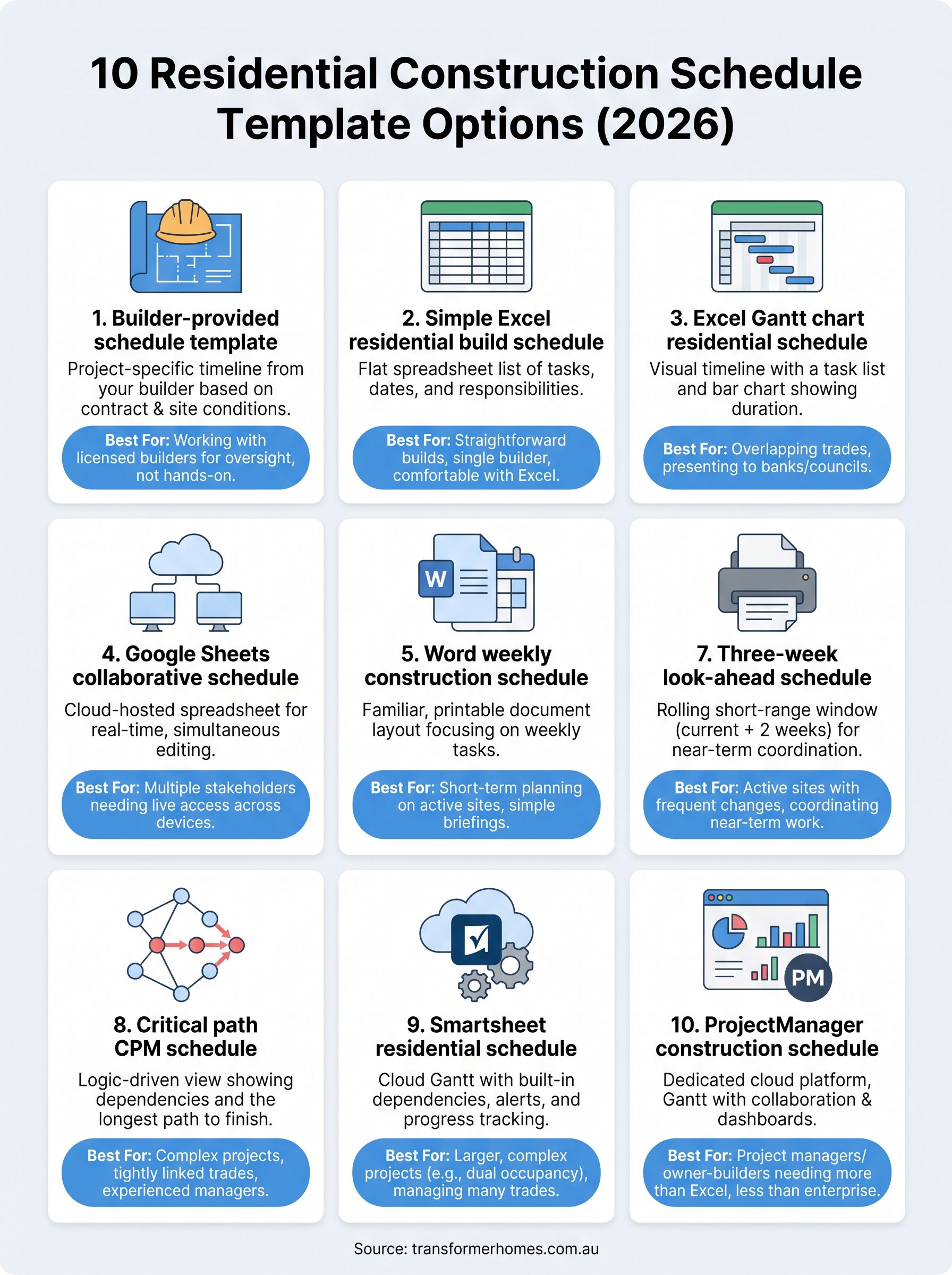
Below, we’ve pulled together 10 practical residential construction schedule templates for 2026, covering Excel spreadsheets, Gantt charts, and other formats, so you can find one that fits your project and planning style.
1. Builder-provided schedule template
The most accessible starting point for most homeowners is the schedule your registered builder puts together at the start of your project. Rather than building a residential construction schedule template from scratch, you receive a pre-structured timeline that already reflects your specific contract, trade sequencing, and site conditions. It’s the most project-ready option on this list.
What it is
A builder-provided schedule is a project-specific timeline your builder creates based on your signed contract, scope of works, and site conditions. It maps out each construction phase, from site preparation and slab pour through to lock-up, fit-out, and practical completion. The format varies by builder, but most will use either a Gantt-style chart or a milestone list, often delivered as a PDF, Excel file, or through a client-facing project management portal.
When it fits best
This option suits you best when you’re working with a licensed, experienced builder who has a clear process for communicating timelines to clients. If you’ve signed a major domestic building contract in Victoria, your builder is legally obligated to work to agreed timeframes, so having a formal schedule is not just helpful, it’s expected. It also works well when your priority is oversight rather than hands-on scheduling, meaning you want to understand and monitor progress without building the timeline yourself.
Asking your builder for a written schedule before works begin is one of the most effective ways to catch potential delays before they become costly problems.
What to include
When you review or request a builder-provided schedule, make sure it covers the following key elements:
- Start and finish dates for each major phase (earthworks, frame, roof, lock-up, fix, completion)
- Trade sequences showing which subcontractors are booked and when
- Inspection and approval milestones, including council inspections and certifier sign-offs
- Material delivery windows for items like frames, windows, and cabinetry
- Payment stage triggers, which in Victoria typically align with defined construction stages under the Domestic Building Contracts Act
Limits to watch for
The main limitation here is that you don’t control the format or the detail level. Some builders provide thorough, phase-by-phase breakdowns, while others offer only a high-level milestone list that leaves gaps in your understanding. Another issue is that updates may not come automatically when delays occur, so you’ll need to actively request revised schedules if trades are rescheduled or materials are delayed. Treat the initial schedule as a live document, not a one-time handout.
2. Simple Excel residential build schedule template
If you want a practical, no-frills starting point, a simple Excel spreadsheet is one of the most widely used formats for scheduling a residential build. It requires no specialist software knowledge and gives you a clear row-by-row view of your construction tasks, dates, and responsible parties without the complexity of more advanced tools.
What it is
A simple Excel residential construction schedule template is a flat spreadsheet where each row represents a task or phase, and columns capture the start date, end date, duration, and trade or contractor responsible. Unlike a Gantt chart, it doesn’t visualise timelines graphically. Instead, it works as a structured task list that you can sort, filter, and update as your build progresses.
When it fits best
This format works best for straightforward builds with a linear sequence of trades, such as a single-storey addition or a new knockdown-rebuild on a clear site. You’ll get the most value from it if you’re comfortable working in Microsoft Excel and want a lightweight tool you can update quickly without learning new software.
A simple spreadsheet schedule works best when your build has fewer than 40 distinct tasks and a single primary builder coordinating all trades.
What to include
Your spreadsheet should capture these core columns for each task:
- Task name (e.g., slab pour, frame erection, roof tiling)
- Start date and finish date
- Duration in working days
- Responsible trade or subcontractor
- Status (not started, in progress, complete)
Limits to watch for
The biggest limitation is that a flat list gives you no visual overview of how tasks overlap or depend on each other. If your build involves concurrent trades working on different parts of the site, you’ll struggle to spot scheduling conflicts before they cause delays on the ground.
3. Excel Gantt chart residential schedule template
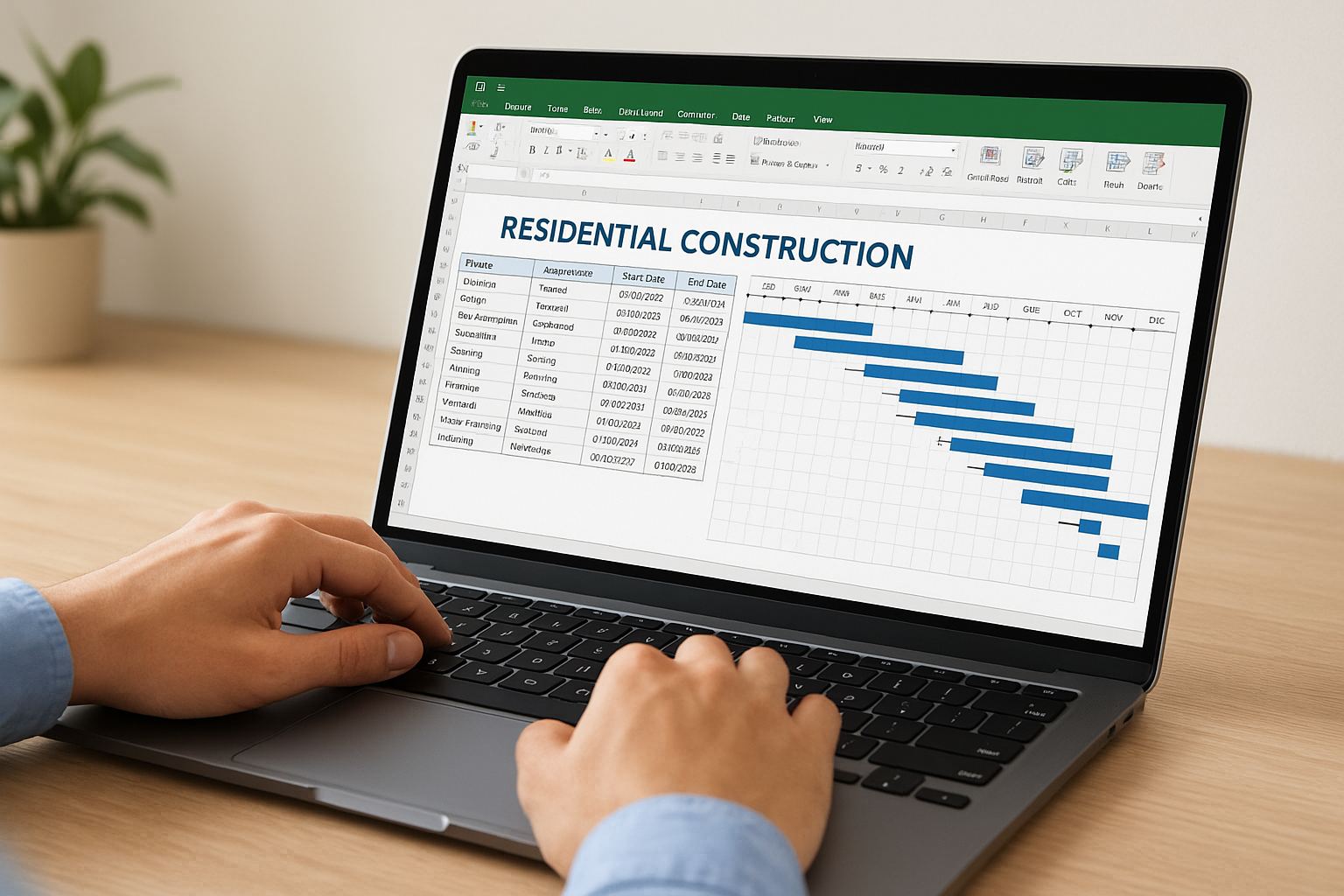
An Excel Gantt chart takes the flat spreadsheet format one step further by adding a visual timeline alongside your task list. Instead of reading dates in isolation, you can see each phase as a horizontal bar that shows how long it runs and where it sits in relation to other tasks.
What it is
A Gantt chart residential construction schedule template built in Excel combines a task list on the left with a bar chart on the right. Each bar spans the duration of a task across a calendar, giving you an at-a-glance view of your entire build from start to finish. You can build one manually using conditional formatting, or download pre-built templates directly from Microsoft’s template library.
When it fits best
This format suits builds with overlapping trades or parallel work streams, such as a dual occupancy project where internal fit-out and external landscaping run at the same time. It’s also a strong choice if you’re presenting your timeline to a bank, certifier, or council, since the visual format is easier to interpret than a plain data table.
A Gantt chart makes it far easier to spot scheduling conflicts before they cause delays on site.
What to include
Your Gantt chart template should cover:
- Phase name and trade responsible for each bar
- Start date, end date, and duration mapped across the calendar
- Dependencies marked between tasks that must happen in sequence
- Milestone markers for inspections, approvals, and handover
Limits to watch for
The main drawback is that complex Gantt charts in Excel require manual updates every time a task shifts. If one trade runs late, you’ll need to manually drag or re-enter dates across multiple dependent rows, which becomes time-consuming on larger projects.
4. Google Sheets collaborative schedule template
Google Sheets gives you the same spreadsheet structure as Excel but with one key advantage: real-time collaboration built in by default. Multiple people can view and edit the same residential construction schedule template simultaneously, which makes it a practical choice when you need your builder, certifier, and site supervisor all working from the same live document.
What it is
A Google Sheets construction schedule is a cloud-hosted spreadsheet that lives in your Google Drive account. It functions similarly to an Excel task list or Gantt chart but updates instantly across all devices without anyone needing to send file versions back and forth. You can access free templates directly through Google Sheets by searching the template gallery.
When it fits best
This format works best when multiple stakeholders need live access to the same schedule, such as an owner-builder coordinating several subcontractors, or a homeowner who wants to monitor progress alongside their project manager. It suits people who are comfortable working in a browser and want a low-cost, zero-installation scheduling tool.
If your builder and trades use smartphones on site, Google Sheets gives everyone the same up-to-date schedule without a single email attachment.
What to include
Your Google Sheets schedule should capture:
- Task name, start date, and finish date for each construction phase
- Responsible trade or subcontractor for each task
- Status column updated in real time as work progresses
- Notes column for flagging delays, material issues, or inspection outcomes
Limits to watch for
The main limitation is that offline access requires manual setup through the Google Drive app, which can cause issues on sites with poor connectivity. Google Sheets also lacks the advanced dependency tracking you get in dedicated project management software, so complex builds with tightly linked trade sequences may outgrow it quickly.
5. Word weekly construction schedule template
Microsoft Word is rarely the first tool people think of for scheduling, but a Word-based weekly construction schedule template gives you something other formats can’t: a familiar, document-style layout that’s easy to print, annotate, and hand off to trades on site.
What it is
A Word weekly construction schedule breaks your build into seven-day blocks, with each week laid out as a simple table or structured list. Rather than mapping the entire project at once, it focuses on what needs to happen in the current and upcoming week, making it easy to read at a glance. You can download construction-ready templates directly from Microsoft’s template library.
When it fits best
This format suits short-term planning on active build sites where daily or weekly task lists are more useful than a big-picture timeline. It works particularly well for site supervisors and owner-builders who need a simple, low-tech document to brief trades at the start of each week without logging into software.
A Word weekly schedule works best alongside a broader Gantt or milestone plan, not as your only residential construction schedule template for the full project.
What to include
Your weekly schedule should cover:
- Week number and date range clearly at the top
- Daily tasks broken down by trade or area of the build
- Responsible person for each task
- Expected completion status at the end of each day
Limits to watch for
The main limitation is that Word offers no date logic or dependency tracking, so if a trade runs late, you’ll need to manually rewrite the following week’s table. It also gives you no cumulative view of where your project sits overall, which makes it unsuitable as your only scheduling tool on anything beyond a very small job.
6. Printable PDF site schedule template
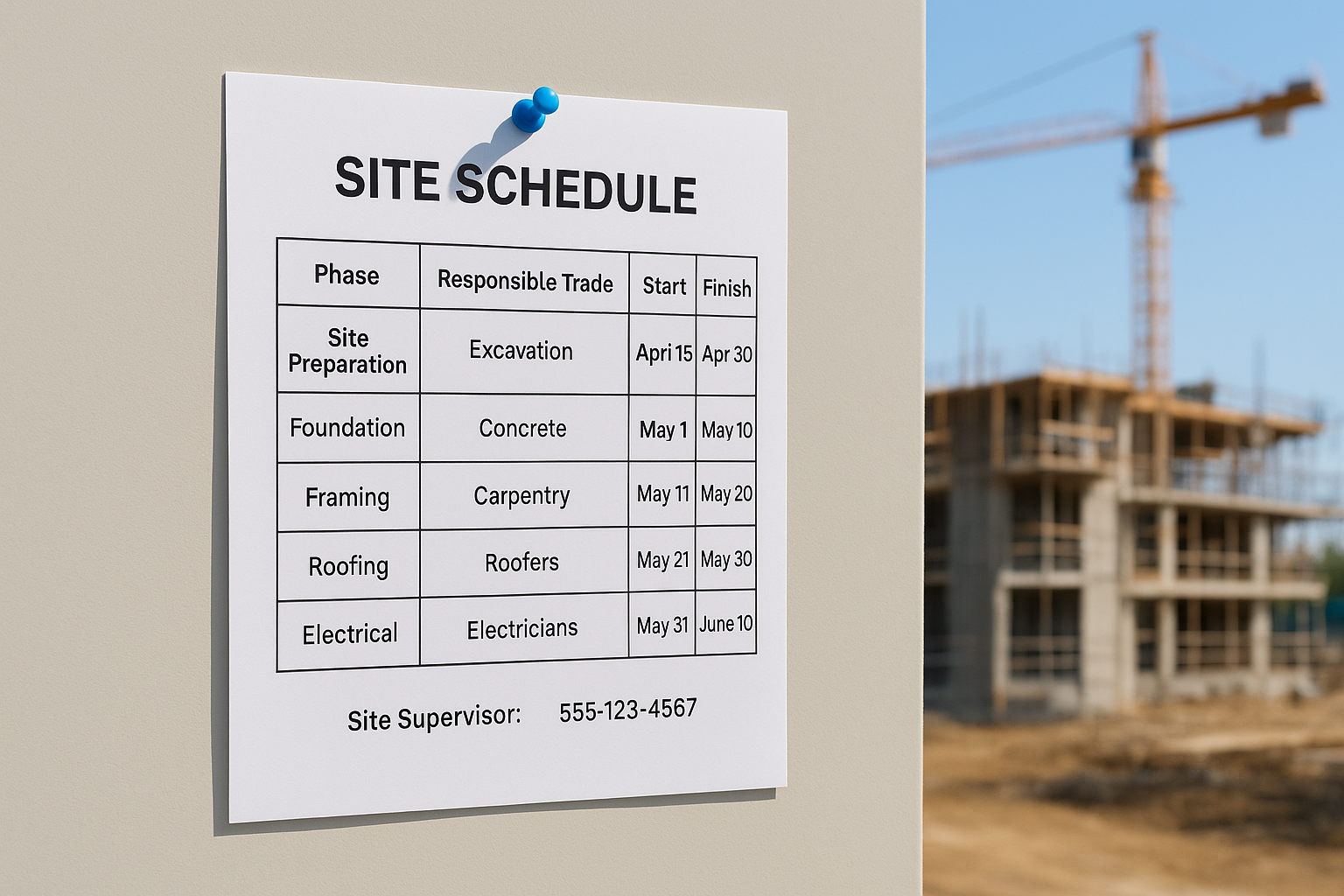
A printable PDF site schedule template gives you a fixed, ready-to-distribute document that anyone on site can read without a screen, login, or internet connection. It strips scheduling down to its most accessible and portable form, which makes it a practical companion to your main digital schedule rather than a replacement for it.
What it is
A PDF site schedule is a formatted, print-ready version of your construction timeline that you produce once and distribute across the team. It typically displays phases, dates, and responsible trades in a clean table or chart layout, then gets pinned to the site office wall or handed to each subcontractor at the start of the job. You can generate one by exporting an existing Excel or Google Sheets schedule directly to PDF, preserving your layout without needing specialist software.
A laminated PDF schedule pinned to the site office is often the first thing a new trade will check when they arrive on site.
When it fits best
This format suits high-traffic build sites where multiple trades are cycling through and not everyone is checking a shared digital document. It works well as a weekly or fortnightly handout that gives each trade a clear, no-ambiguity view of what’s expected of them during their time on site.
What to include
Your printed schedule should cover the following at a minimum:
- Phase name and trade responsible for each stage
- Start and finish dates in clear, readable type
- Key inspection dates and approval milestones
- Site contact details for your builder or supervisor
Limits to watch for
The core limitation is that a printed PDF becomes outdated the moment anything changes. Any delay or trade reschedule means you’ll need to reprint and redistribute, which creates a real risk of different versions circulating on site simultaneously.
7. Three-week look-ahead schedule template
A three-week look-ahead schedule template gives you a short, rolling window into your build rather than mapping the full project from day one. It’s a scheduling method borrowed from commercial construction that translates just as effectively to residential projects, particularly once your build is underway and you need to stay on top of near-term coordination rather than review the distant future.
What it is
A three-week look-ahead is a short-range scheduling tool that focuses only on the current week and the two weeks ahead. Each week, you drop the past and add a new future week, keeping the schedule rolling forward as your build progresses. It works as a companion document to your master residential construction schedule template, bridging the gap between a big-picture Gantt chart and daily site activity.
When it fits best
This format suits active build sites where trade coordination changes week to week based on material deliveries, inspections, or weather. It works particularly well for renovation and extension projects where trades are cycling in and out of an occupied home and precise short-term sequencing is critical to minimising disruption.
A three-week look-ahead is most effective when your site supervisor reviews it with the relevant trades at the start of each week.
What to include
Your look-ahead should capture:
- Week-by-week task breakdown for each trade across the three-week window
- Material and equipment delivery dates that affect trade access
- Upcoming inspections or approvals that must happen before the next phase starts
- Responsible person for each task or work area
Limits to watch for
The main drawback is that a three-week look-ahead gives you no long-range visibility on its own. You need to treat it as a supplementary tool rather than a standalone schedule, always cross-referencing it against your broader project timeline to catch downstream impacts early.
8. Critical path CPM schedule template
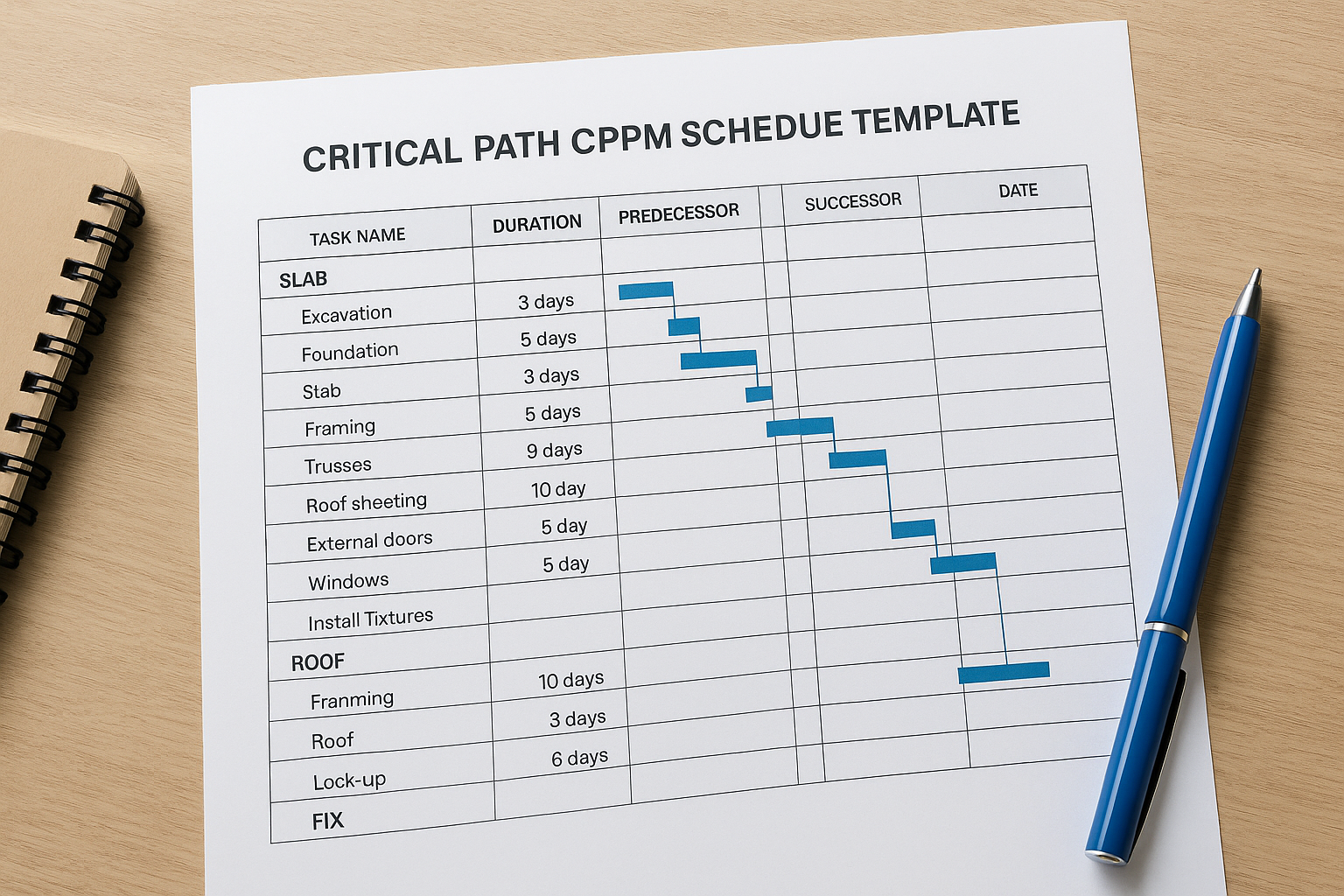
A critical path method (CPM) schedule template gives you a logic-driven view of your entire build, identifying which tasks directly control your finish date. Rather than listing phases in a simple sequence, it maps the dependencies between every task so you can see exactly which activities, if delayed, will push your completion date out.
What it is
A CPM schedule identifies your critical path, which is the longest chain of dependent tasks from project start to handover. Any delay on a task sitting on that path delays your whole project. You build the schedule by linking tasks in sequence, assigning durations, and letting the logic calculate your earliest and latest possible dates for each activity.
The critical path in a residential build typically runs through slab, frame, roof, lock-up, and fix stages, so delays in those phases hit hardest.
When it fits best
This residential construction schedule template suits complex projects with tightly linked trade sequences, such as a dual occupancy development or a large knockdown-rebuild. It works best when your builder or project manager has scheduling experience, since building and interpreting a CPM diagram requires more effort than a basic Gantt chart.
What to include
Your CPM template should capture:
- Task name and duration for each construction activity
- Predecessor and successor links showing which tasks depend on others
- Float values indicating how much delay each non-critical task can absorb
- Critical path highlighted clearly so you can monitor it throughout the build
Limits to watch for
The main limitation is complexity. A CPM schedule takes significant time to set up correctly, and if your task dependencies are entered incorrectly, the critical path calculation becomes unreliable. It is generally better suited to builders and project managers than to homeowners tracking a build for the first time.
9. Smartsheet residential schedule template
Smartsheet is a cloud-based work management platform that takes the familiar look of a spreadsheet and adds project management functionality on top of it. For residential builds, it offers a purpose-built residential construction schedule template that goes well beyond what Excel or Google Sheets can deliver out of the box.
What it is
Smartsheet’s construction schedule template is a structured, cloud-hosted Gantt chart with built-in task dependencies, automated notifications, and real-time progress tracking. You get the visual clarity of a timeline alongside automatic alerts when deadlines are approaching or tasks fall behind, which removes the need to manually chase updates across multiple people.
Smartsheet’s automated reminders can flag a delayed task to the responsible trade before it creates a ripple effect through the rest of your build.
When it fits best
This template suits larger or more complex residential projects where you’re coordinating a wide range of trades, suppliers, and approval stages. It works particularly well for dual occupancy or multi-stage builds where a basic spreadsheet becomes difficult to maintain as tasks multiply and dependencies grow.
What to include
Your Smartsheet schedule should capture the following:
- Phase name, start date, and finish date for each construction stage
- Assigned owner for each task, linked to their Smartsheet account so they receive notifications
- Dependency links between tasks to automate date adjustments when earlier tasks shift
- Milestone markers for inspections, certifier sign-offs, and practical completion
Limits to watch for
The main limitation is cost. Smartsheet operates on a paid subscription model, which adds an ongoing expense that may not be justified for a single residential build. There is a free trial available, but full functionality requires a paid plan, so weigh that against the scale and duration of your project before committing.
10. ProjectManager construction schedule template
ProjectManager is a dedicated project management platform that offers a purpose-built construction schedule template designed specifically for residential and commercial builds. It combines Gantt chart functionality with real-time collaboration tools, giving you a more capable environment than a standard spreadsheet without the steep learning curve of enterprise-level software.
What it is
ProjectManager’s residential construction schedule template is a cloud-based Gantt chart with built-in task dependencies, workload tracking, and live progress dashboards. You can assign tasks to specific trades, set start and finish dates, and link dependent tasks so the schedule updates automatically when earlier phases shift. The platform runs in a browser, so no installation is required.
When it fits best
This template suits project managers and owner-builders who want more visibility than a spreadsheet provides but find tools like Primavera P6 unnecessarily complex for a single residential build. It works particularly well when you are coordinating multiple trades across overlapping phases and need automated notifications to flag delays before they cascade through the rest of your programme.
ProjectManager works best when at least one person on your team commits to keeping the schedule updated week by week.
What to include
Structure your ProjectManager schedule around these key elements:
- Phase name and assigned trade for every construction stage
- Task dependencies linking sequential activities so delays flow through automatically
- Milestone markers for inspections, certifier approvals, and handover
- Progress percentages updated regularly so your dashboard reflects actual site conditions
Limits to watch for
The main limitation is that ProjectManager operates on a paid subscription, so the cost adds up across a build that runs six to twelve months. A free 30-day trial is available, which gives you enough time to test whether the platform fits your project before committing to a plan.
Next steps
Every residential build is different, and the right residential construction schedule template depends on your project size, your comfort with digital tools, and how many people need access to the schedule at once. A simple Excel task list works fine for a straightforward renovation, while a dual occupancy development will benefit from a Gantt chart with full dependency tracking. Start with the format that matches your current project, and upgrade your tools only if the build demands it.
Choosing the right template is just one part of a well-run build. Working with a builder who takes scheduling seriously from day one makes a far greater difference to your outcome than the tool you use to track it. If you’re planning a custom home, renovation, or dual occupancy project in Melbourne’s Northern or Western suburbs, talk to the team at Transformer Homes about how we manage timelines and keep builds on track.
